

JSON is a structured notation for key-value-pairs. By addressing the key, you can retrieve the value. Here is an example to simplify handling of JSON notation. There are two parts: Creating a JSON file and unpacking a JSON file. For the latter, each key is turned into a variable, which simplifies usage.
There is no lack of tools for JSON notation. There are numerous solutions presented, to consistently create JSON notation from FileMaker objects. The FileMaker Data API uses and creates JSON but it requires FileMaker Server. The functions presented here work on any FileMaker client and need no server.
Generic approach
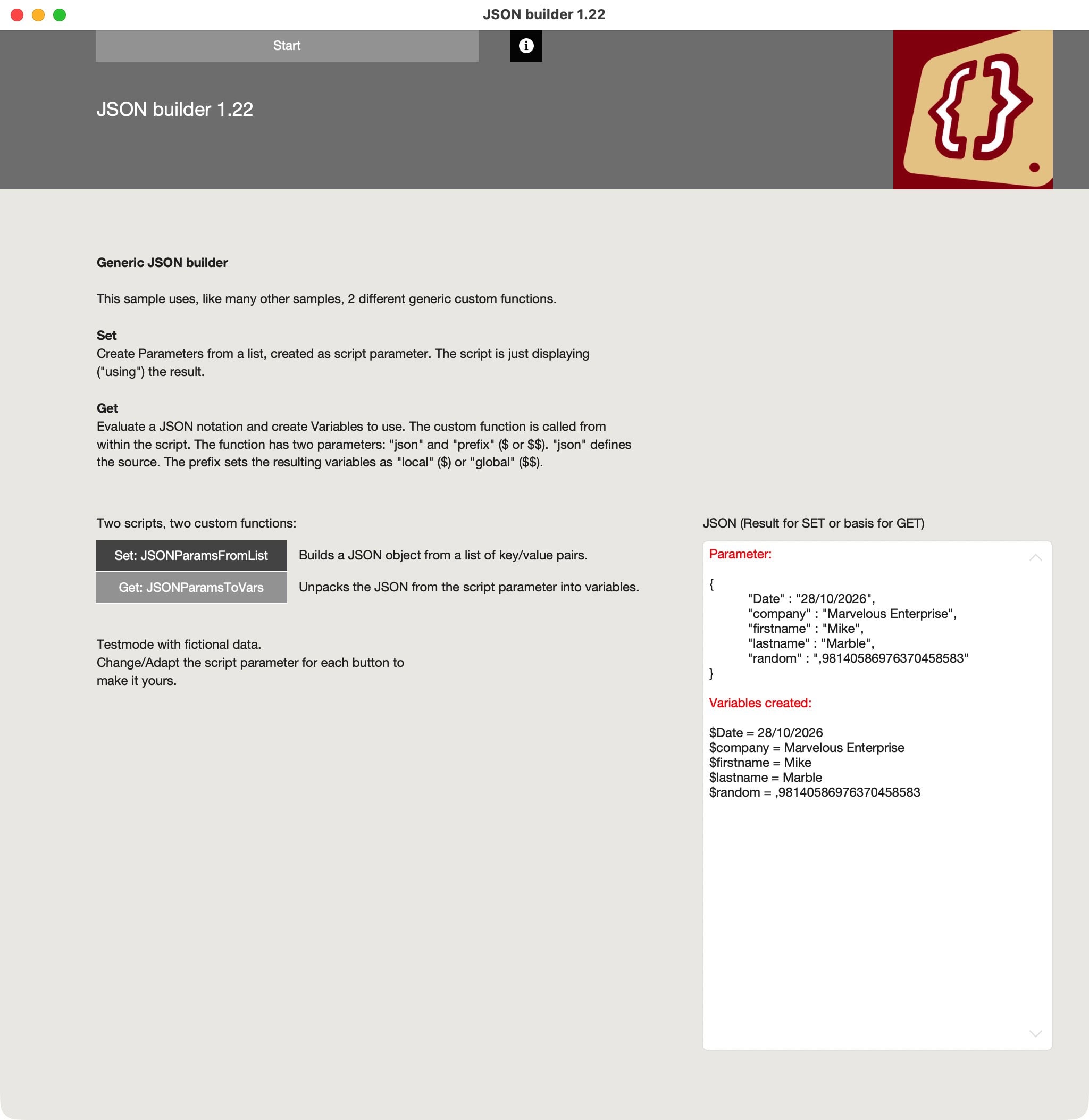
Custom functions are used to build and unpack JSON. These functions are generic:
- The custom function to create the JSON is generic and the content is set as a script parameter. Thus, it is easy to use the same function for multiple scenarios.
- The custom function to unpack the JSON and turn them into variables with valid values is called from within a script. It has two parameters: JSON and Prefix. The JSON-parameter requires a valid source for the JSON to unpack, while the prefix defines what kind of variable should be generated (“$” for a local variable and “$$” for a global variable).
Not a solution for every scenario
While the approach is generic, it will not cover all possible scenarios. Still better tools for your specific situation could be found or created. The purpose of this sample file is not to provide the ultimate solution, but to provide a valid starting point for your own adaptation.
Download the sample file and have fun exploring!

Build and use JSON with this generic builder, based on two custom functions and two scripts. Use and adapt.
This is a FileMaker file (fmp12).