

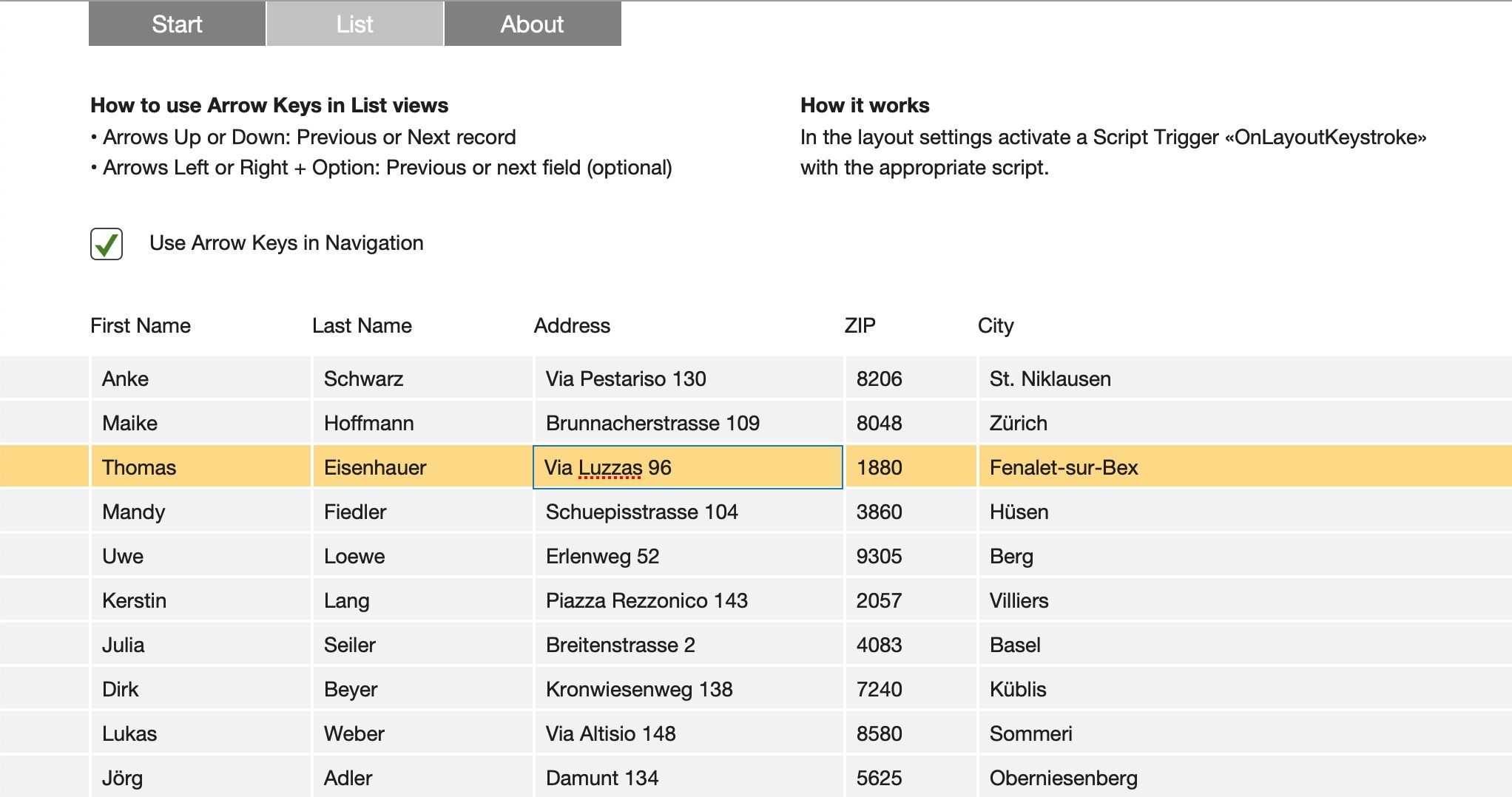
Lists are great, but navigation in lists not so much. Without some scripting, you will need your mouse a lot, as arrow keys are not used to navigate. How to solve this and make it much more intuitive to navigate with your keyboard, check this sample file.
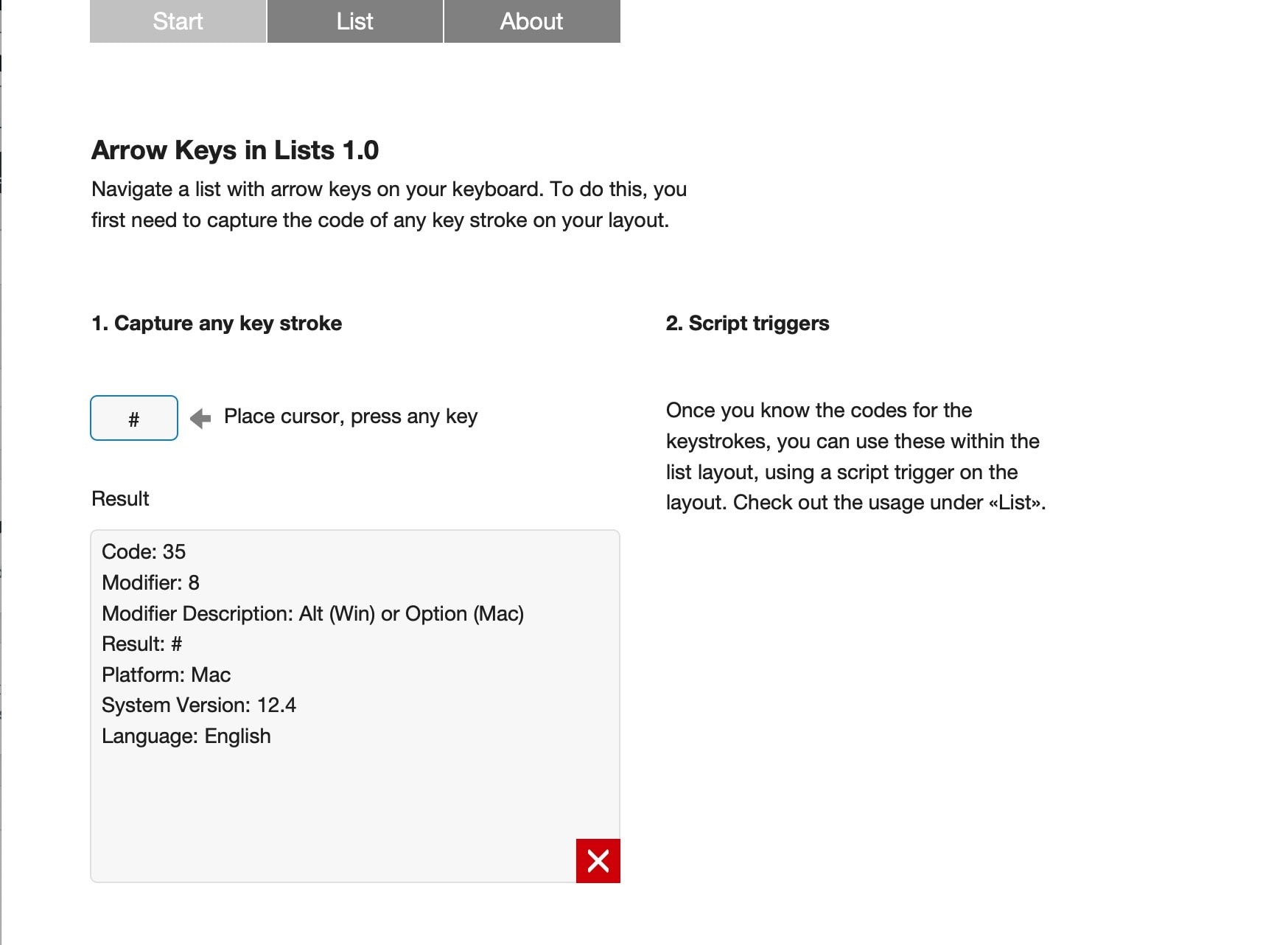
Capturing the keystroke
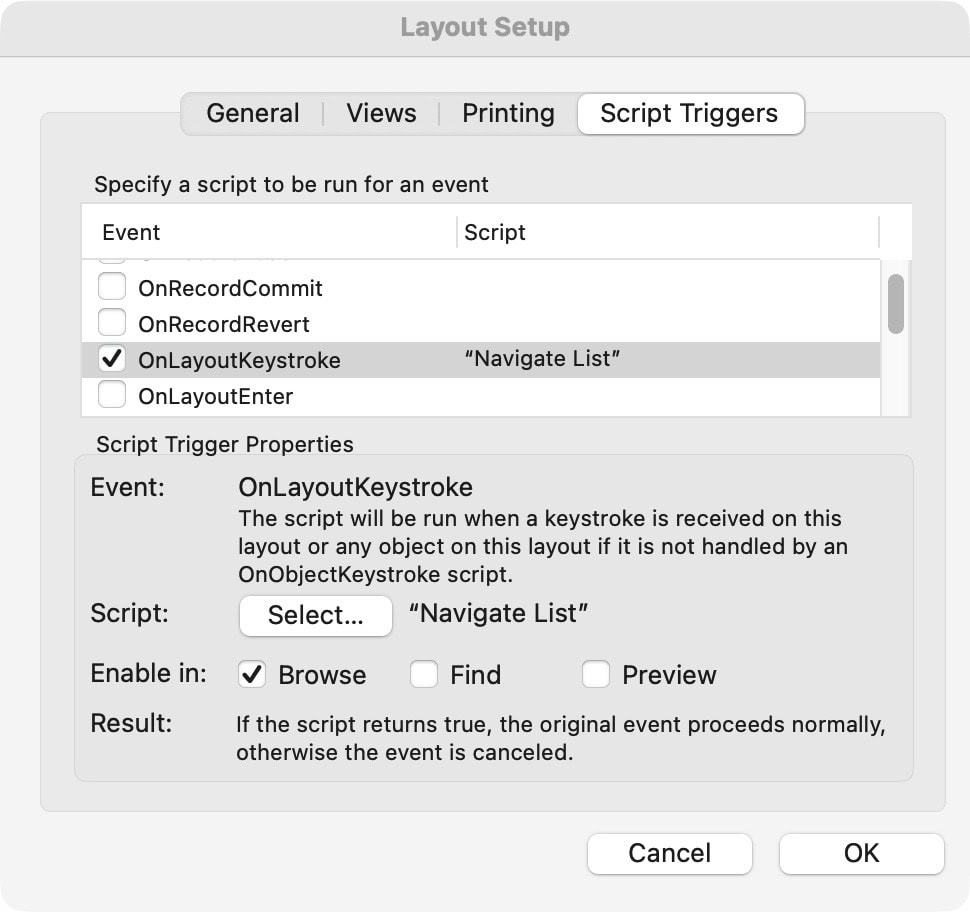
Any key of your keyboard is recognized by the keyboard and operating system, but not by FileMaker. Thus, capture the keystroke first, then tell FileMaker what to do with it.
Productivity
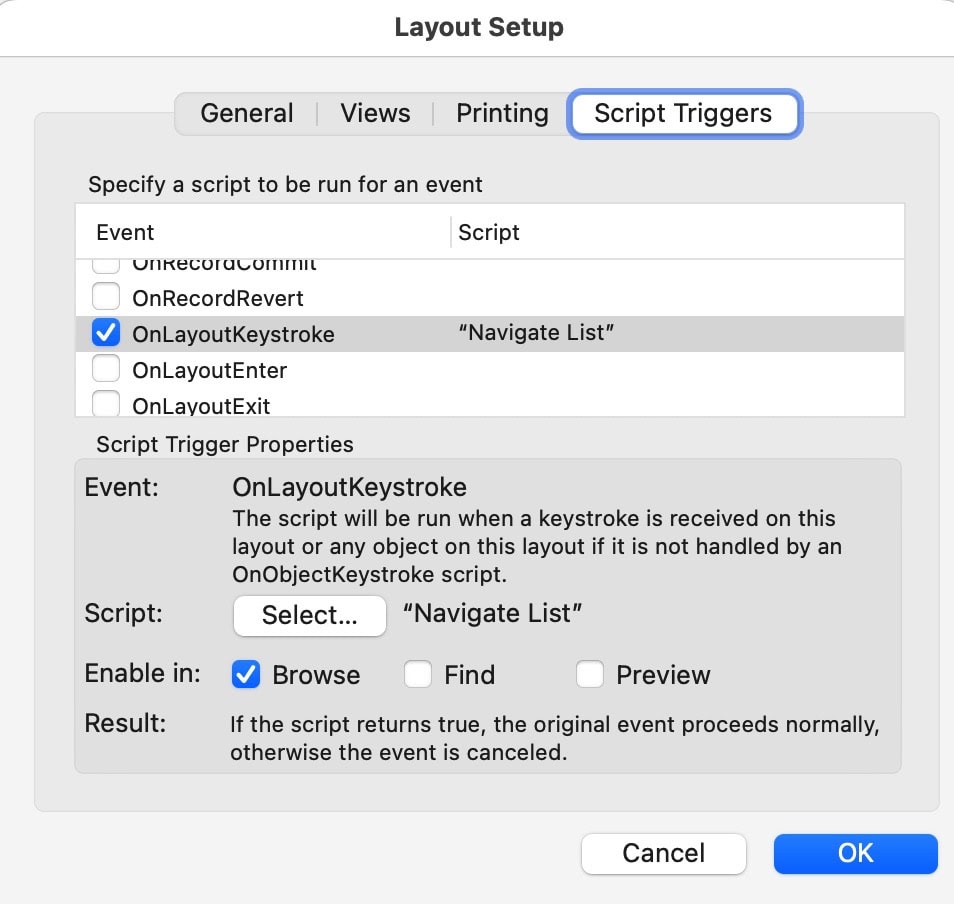
Oftentimes, simple solutions like these will immediately boost productivity. If you do not need to get your hands off the keyboard, many people can work much smoother and quicker. This is the method to eliminate the mouse for repetitive work: Get the keystroke you want to use, build it into a script and let it run in the background. That last part is using a layout script trigger [OnLayoutKeystroke], which can be setup in the layout settings of any layout.
Keep your hands on the keyboard!
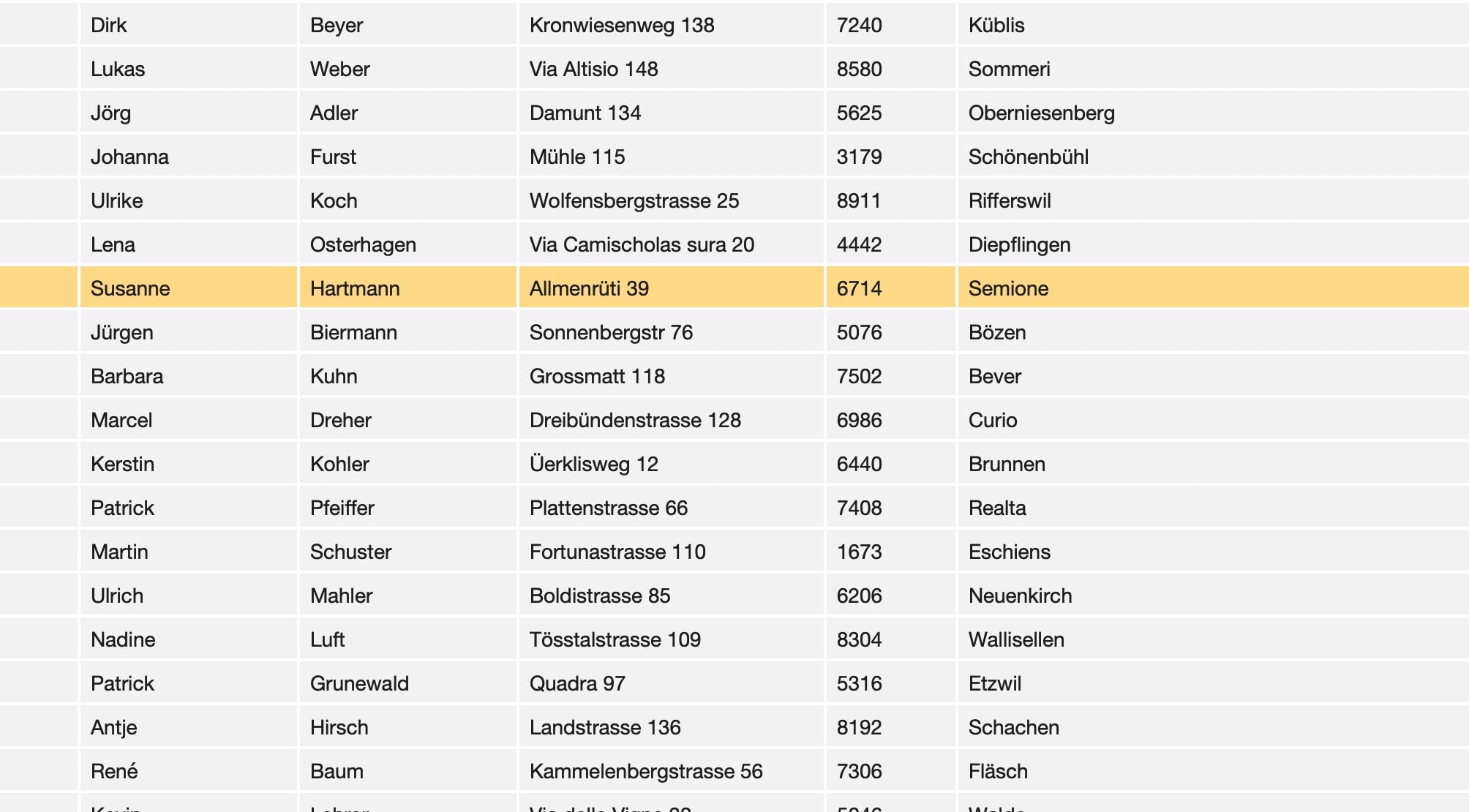
Using arrow keys in FileMaker
Once you captured the keystroke, you can combine this information with going to a previous or next record or anything else. Check the scripts how this is done.
Sample file to show how to enable arrow keys as a navigation help in list views with multiple columns and records.
Requires FileMaker Pro 20 or higher.