

The GetHelp addon is a help system for your Filemaker solution. Instantly added, it helps you to create help texts which are visible and can be used anywhere in your solution.
Purpose
The GetHelp addon is a help function you can use anywhere in your FileMaker solution. Add he addon, then add your help texts to a table and display the text with a single script and parameter. Simple, useful, exactly where you users need your help.

Add the addon to FileMaker
The GetHelp addon must be imported first.
- Download the addon from fmstarter.com
- Unzip the archive
- double-click the fmaddon-file. This file will install the addon for you.
- Restart FileMaker. This will reload available addons and make GetHelp accessible.
- Open any file, switch to layout mode
- In the left panel, select the Addons tab.
- At the bottom of that tab, click on “+” to add an addon. Select GetHelp and confirm.
- This will load the complete addon to your solution, including layouts and scripts.
The addon is now available to use.
How it works
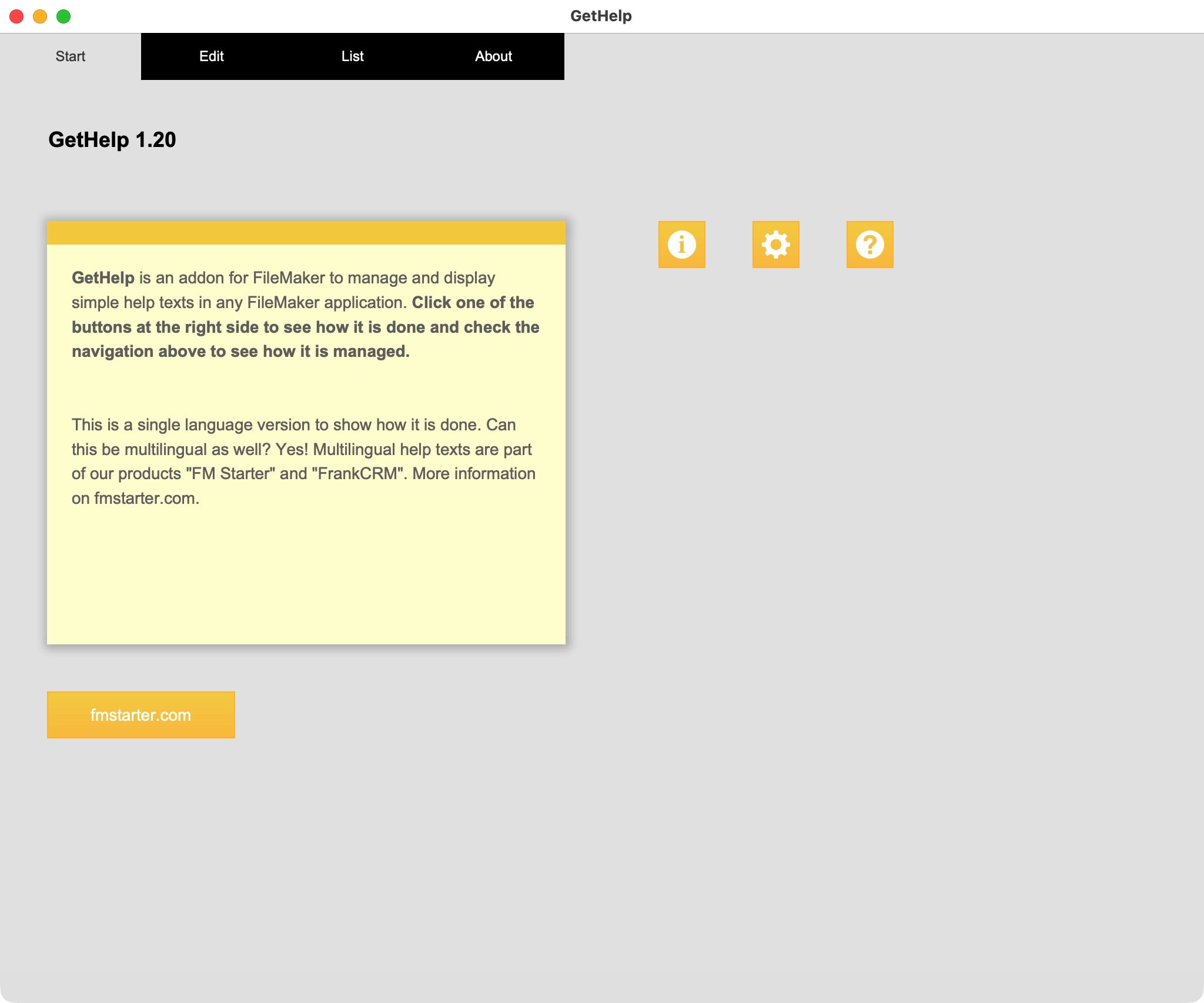
The GetHelp addon is simple to use:
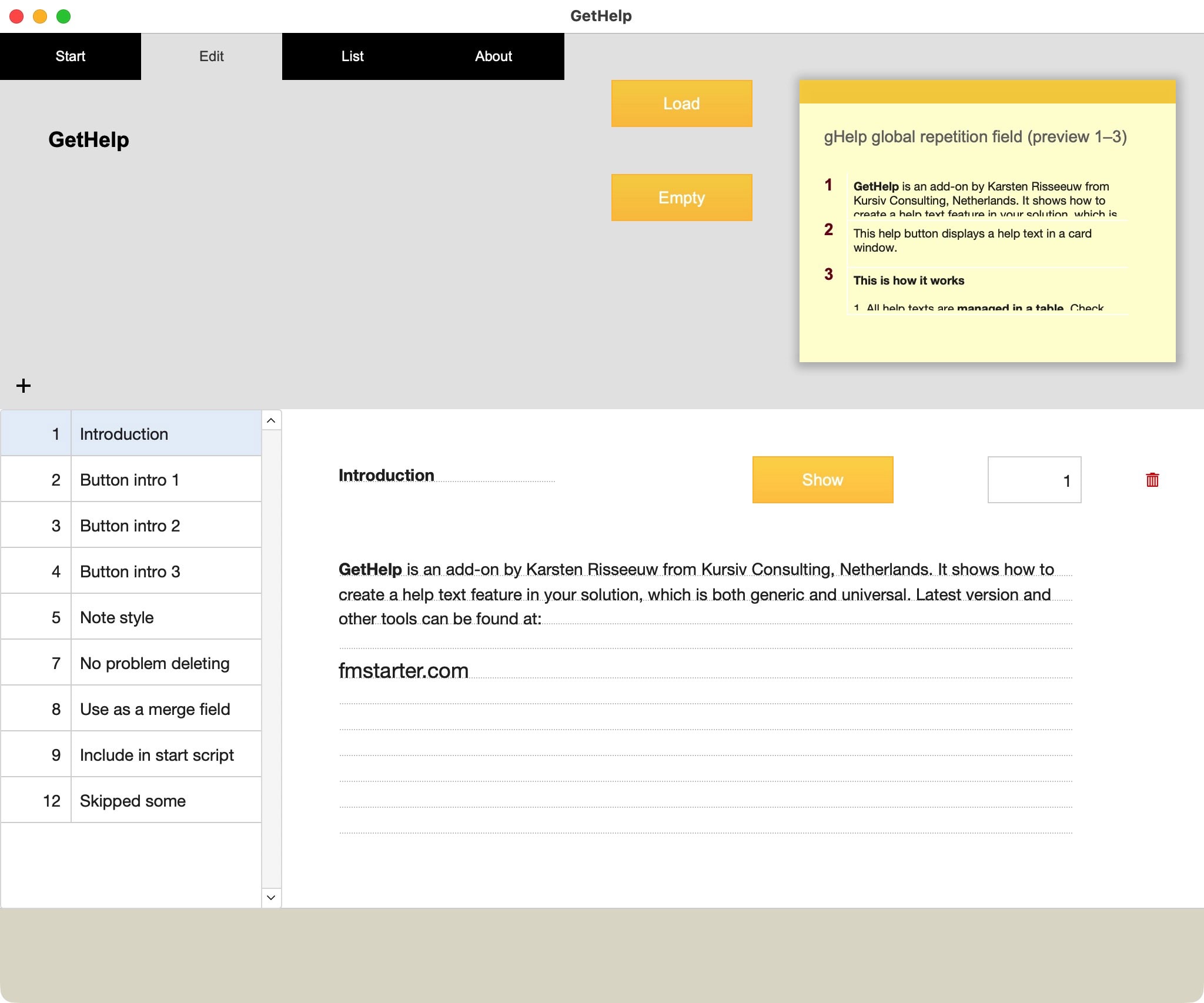
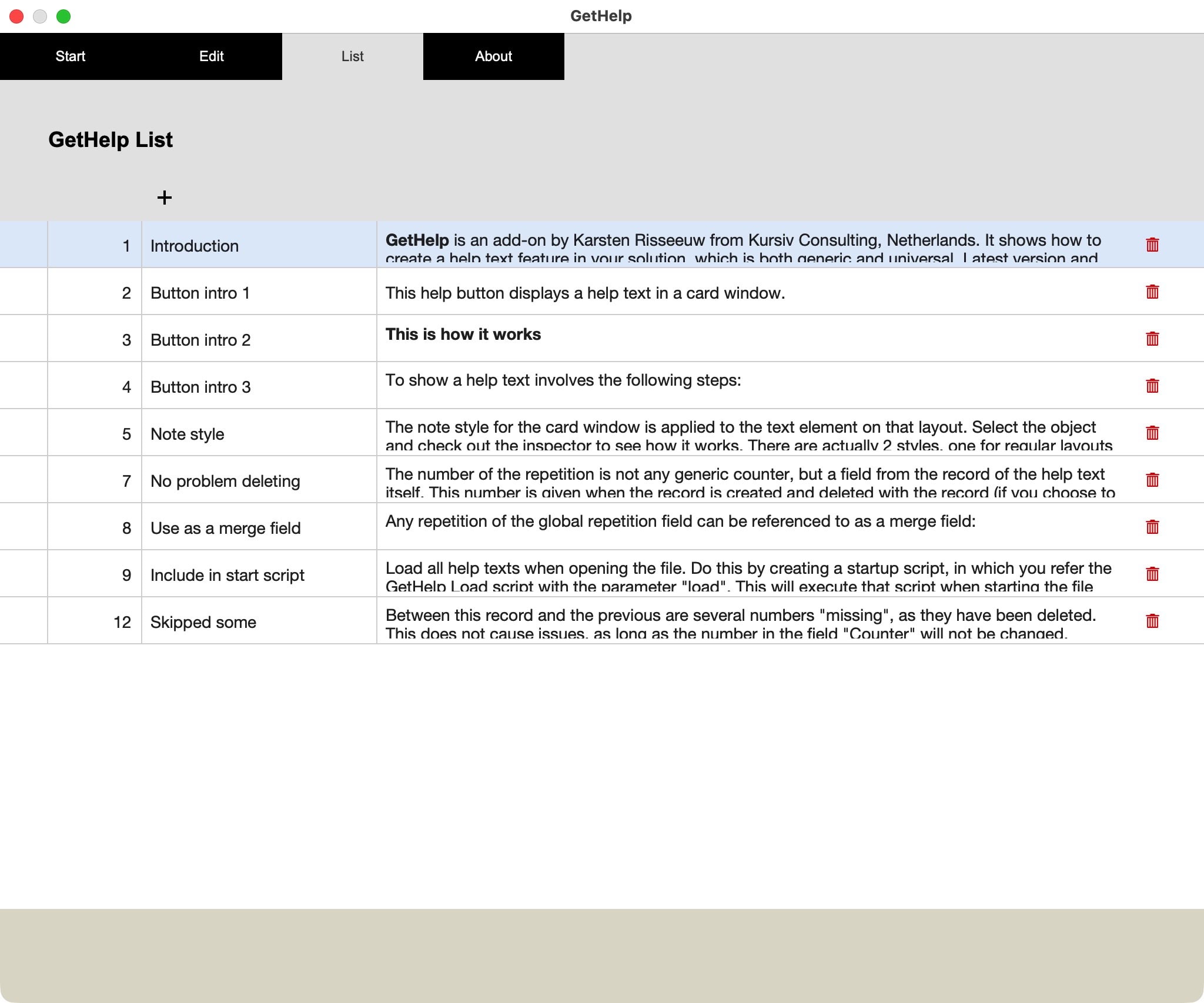
- Add your help texts to the GetHelp table
- For each record a serial number will be added to an extra field.
- Load the GetHelp into a global repetition field (Load-button)
- Each record will be saved into the repetition with the serial number of the record.
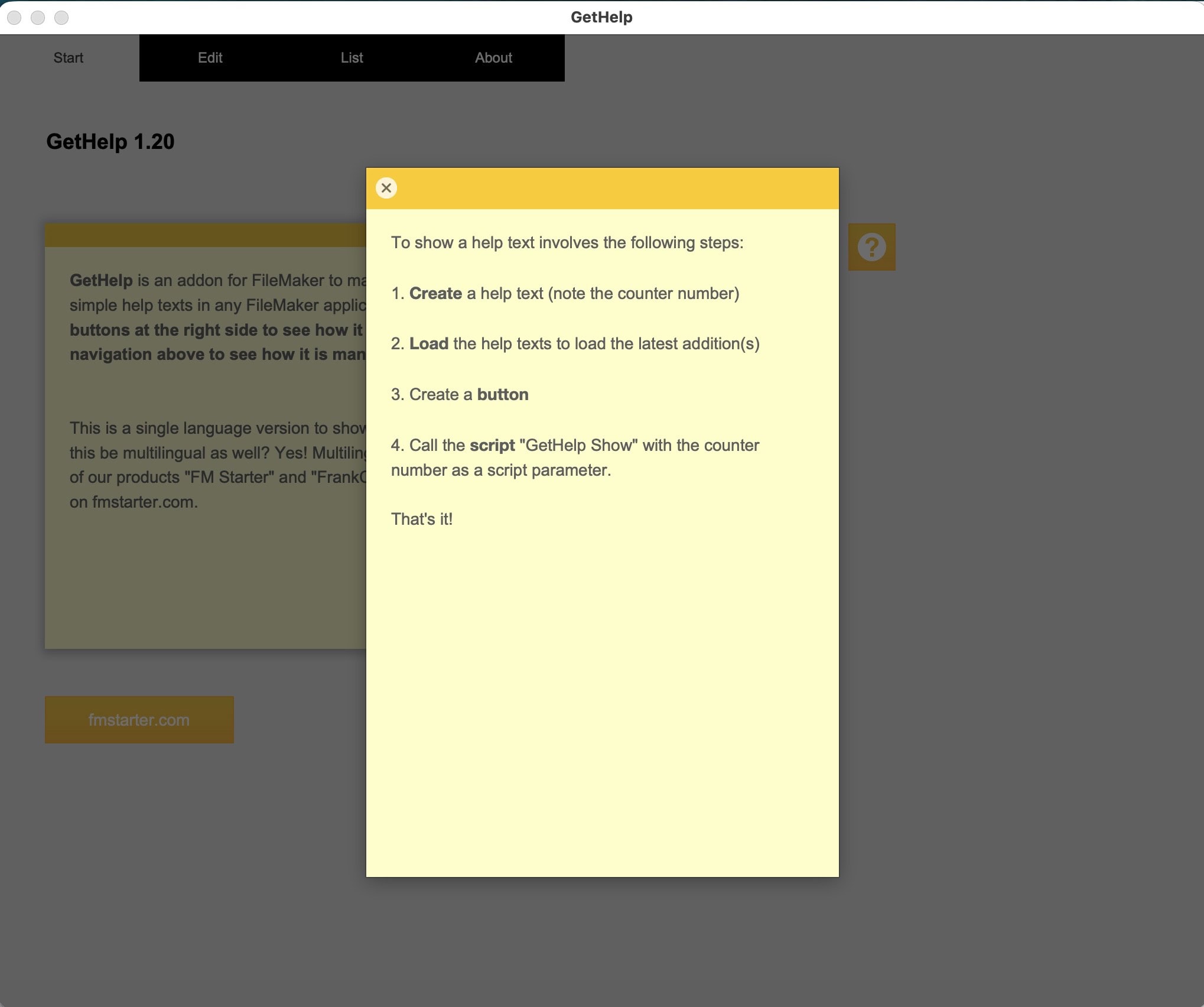
- Create a button, link to the script “GetHelp show” and add the serial number of any record as a script parameter.
- A card window will show and display the proper repetition of the global repetition field.

Alternative approach
When using a card window, it would be possible to make that card window layout to be based on the GetHelp table. The referencing script could be searching for the proper record and display that. That would work as well. The solution to load all help texts into a global variable is fast, and no searching is needed. It all boils down to a choice. If you’d like to add images to your Help function, the search option might be easier. What you prefer is up to you. The current solution is simple, neat and easy to implement. Get results instantly.
Email does not work?
We are happy to send out free content, but sometimes require you to provide a valid and personal email address. This excludes free, gibberish, or discardable email addresses. We were forced to take action and tighten rules, as we were flooded with hundreds of fake addresses. Usually, a business address works well, as long as it is personal and not a generic address (like info@ or tech@, which are considered unsafe). We will then send you the download link or subscribe you to our newsletter, whatever you applied for. Enjoy your benefits.