

How to create a back button for FileMaker solutions? Mostly it is not an essential feature, but it can be helpful. How do you implement a simple back button? Here is an example that doesn’t need any tables, fields, or scripts. Just a simple button bar to copy and paste to your solution.
Clients navigate your solution using any menu given. Sometimes not everything is clear. Probably some layouts are not listed in the navigation. Wouldn’t it be marvelous if there were a way back to a previous location?
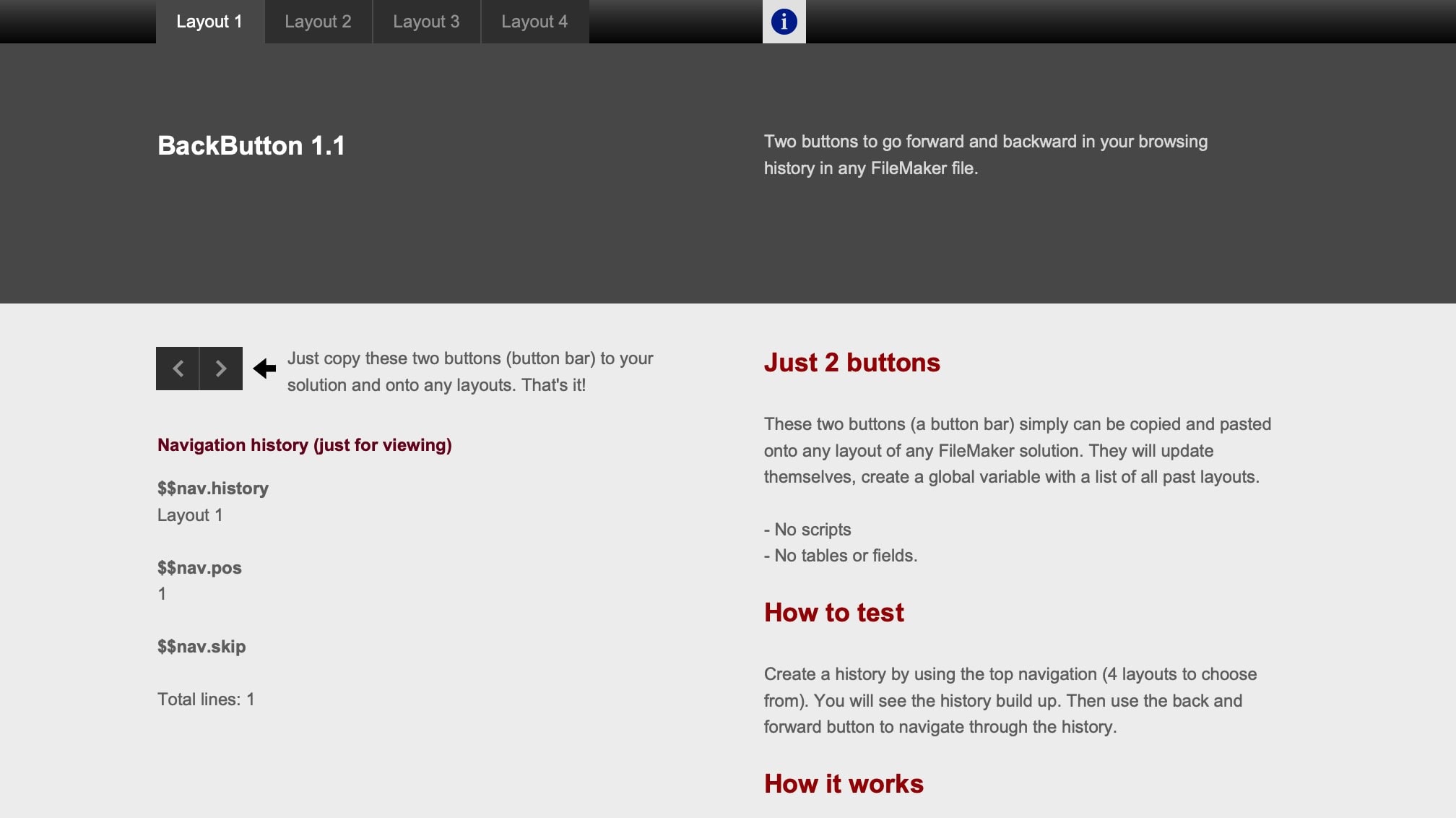
No scripts, fields, or tables
The example attached to this post needs no scripts, triggers, fields, or tables of any kind. It is a single button bar with two buttons: backward and forward. Everything you need is included in this object. Just copy and paste this button bar to your solution, and it will work. No adaptations are necessary for the basic functionality.
I picked up the idea from Paul Jansen many years ago and now turned it into a working solution myself. The idea is simple: use only buttons and nothing else. You need, of course, a global variable to store a history. That global variable can be triggered by a calculation in the conditional formatting of any object, in this case, one of the buttons. Once you have the history, the buttons can use that history.
Each button uses the go-to-layout script step based on a calculation for the name of the layout. That name is taken from the global variable storing the history. It works like this:
- Paste the button bar to all the layouts of your solution
- Navigate through your application with your navigation, which will build the history
- Use the Forward and Back buttons to navigate through the history.
The button bar has the calculations to create the history. Therefore, you must paste the buttons to every layout it should be able to calculate. The history is stored in a global variable; thus, it is available throughout the application and as long as the session runs.

A simple back button for any FileMaker solution. Just a button bar with 2 buttons. Nothing else. No scripts, no tables. Just copy and paste to use.
Requires FileMaker Pro 20 or newer to open.
Do you like this idea? Share it with your team, friends, and colleagues.