

BOM stands for “Byte Order Mark”. BOM characters can be put at the start of a text file to describe the text encoding. These characters are invisible, yet in FileMaker might determine if a file can be read or not. This is a stumble block when recreating JSON files from addons.
Editing JSON-files from addons
When creating an addon-package, FileMaker also creates JSON-files in that package. These JSON files contain descriptions about the addon. When editing JSON-files from addons, you need to read and write that information. You might notice that if you use a regular text editor, or FileMaker for that reason, to read the information, all looks good. However, if you write the information, it might break the addon. FileMaker no longer recognizes the information as valid.
Why is that?
The JSON-files from an addon have a Byte Order Mark (BOM) character at the beginning of the text. This character defines the text encoding and FileMaker expects the BOM-character to be present. When you edit the JSON, you will recreate the text, but skip writing the BOM-character. FileMaker will no longer appreciate your effort and cannot read your addon. You will have to recreate the BOM character.
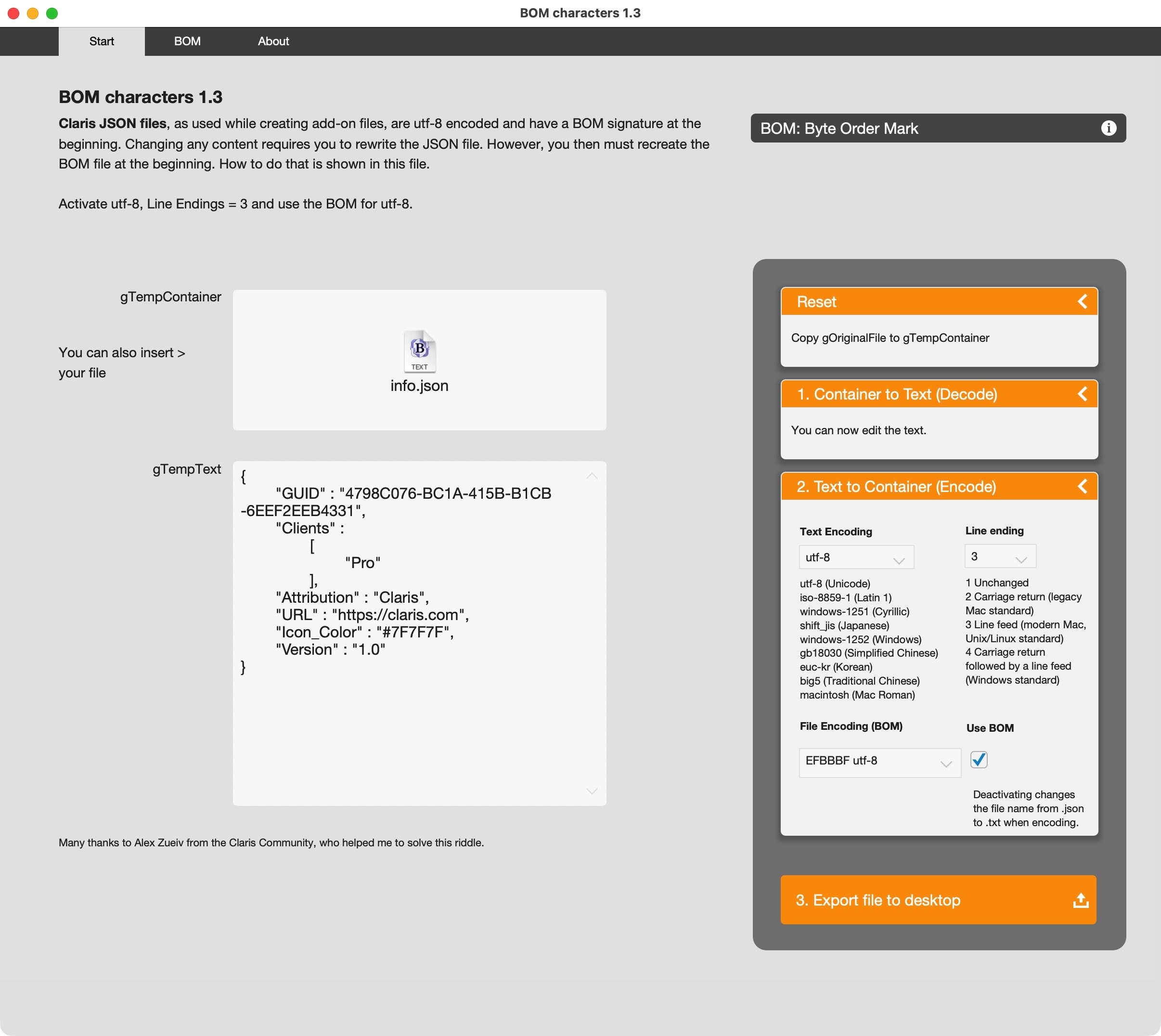
Invisible
This is the content of a JSON file:
The text does not show a BOM character. However, if you open the file with a HEX editor, invisible things are made visible.
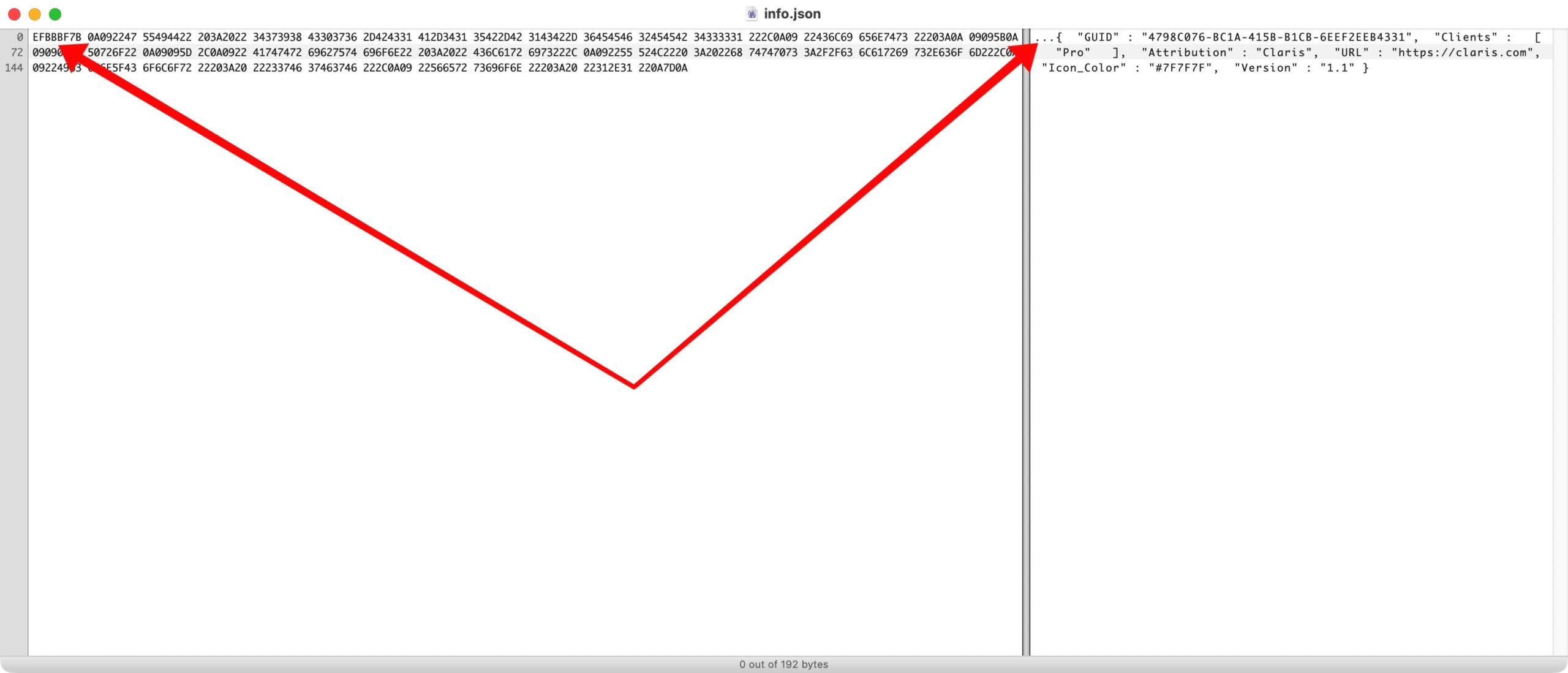
BOM encoding
Let’s start with a JSON-file in a container field. You extract the text, edit the text and want to write it back to the container field before exporting the result.
The sample file shows you the text to be encoded first. To include the BOM character, HEX-encode the text field, put the HEX-value of the BOM character before the text and decode the total of information into the container field.
Once you have the updated result, it already has the BOM character included. Just export the field.

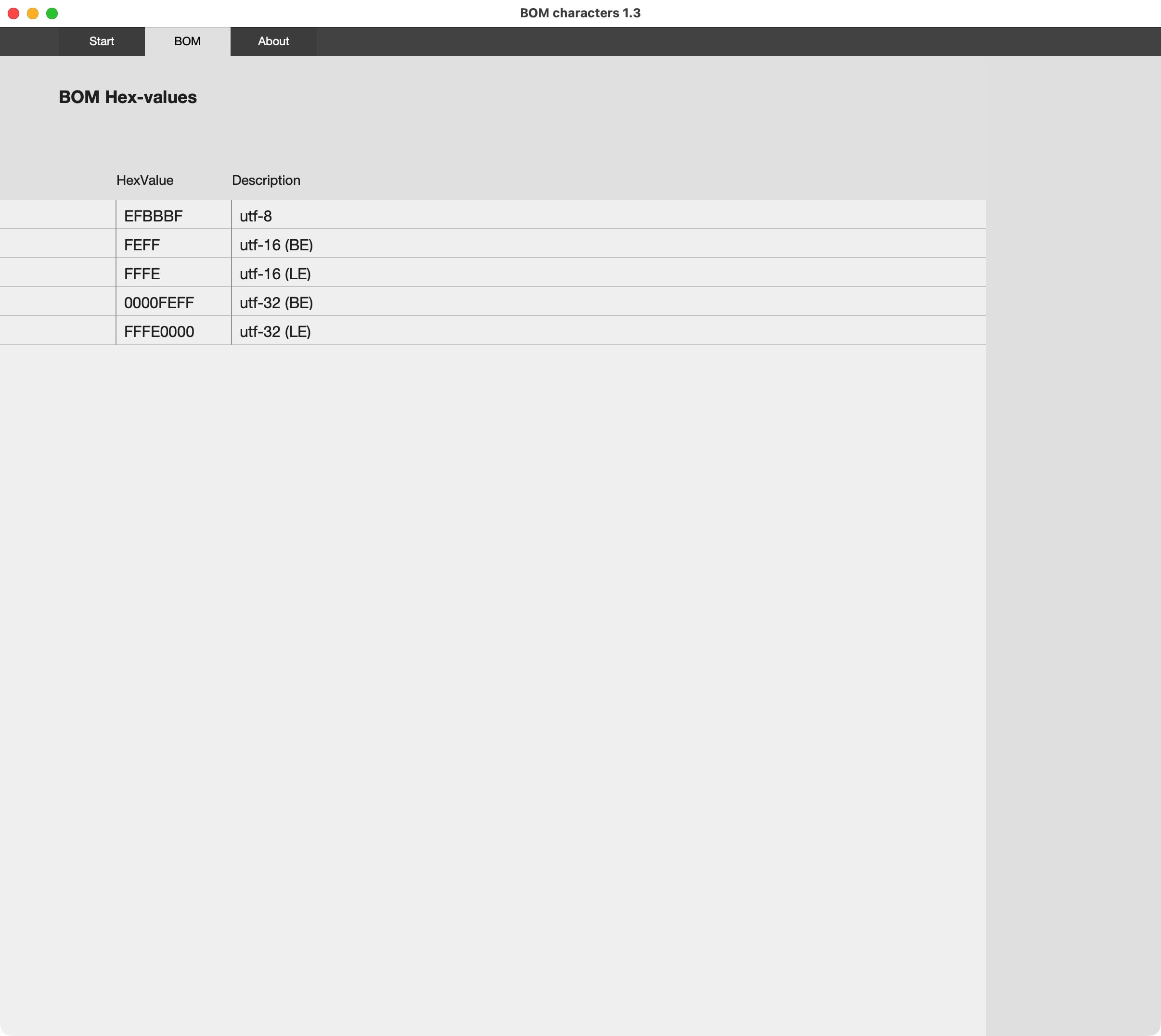
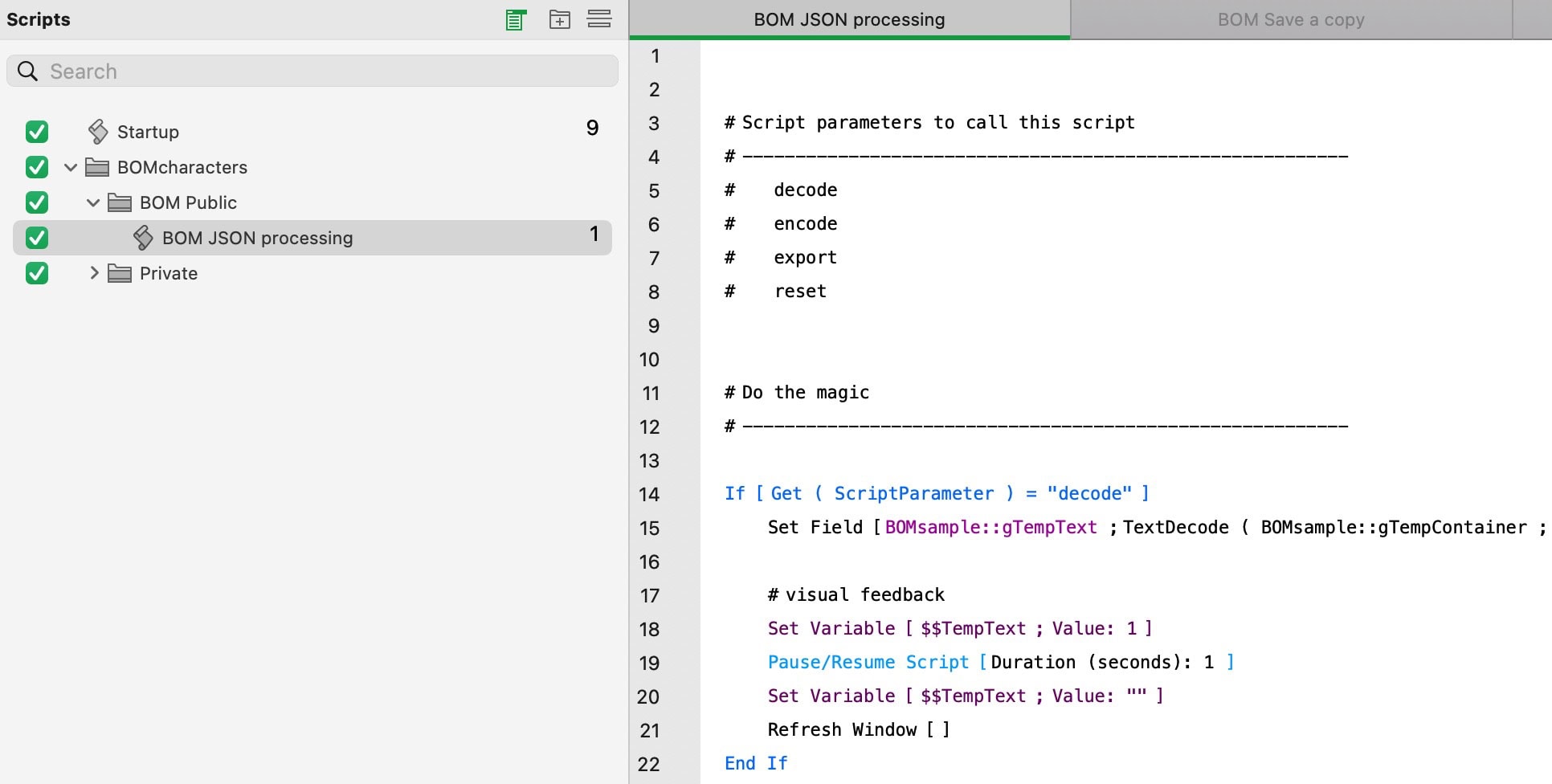
This sample file shows you how to restore the BOM character when writing from FileMaker to a desktop file.