

Did you know you can store FileMaker layout objects in a container field? You even get a preview of the objects or group of objects. This can be useful if you have objects you might need repeatedly throughout your collection. Think of icons, button bars, buttons, or even all objects of entire layouts.
There are several ways to simplify the working with design elements.
- Duplicate layouts
Once you have setup one or more layouts, many will duplicate existing layouts for new purposes, then adjust the fields, settings, etc. - Hidden page
One way to permanently store useful layout elements is to put them on a hidden page, only visible to a developer. - Different file
You might prefer a file for specifically the purpose of reusing elements. - Copy and paste
Once you have an element somewhere in your solution, you always can go back to that layout and by copying and pasting it to another layout you reuse what you achieved before.
These are all valid methods to reuse carefully designed layout objects. But there is another method:
- Object Repository
Using a dedicated table to store layout elements can be of big help to permanently store any object, along with its settings.

ObjectRepository addon
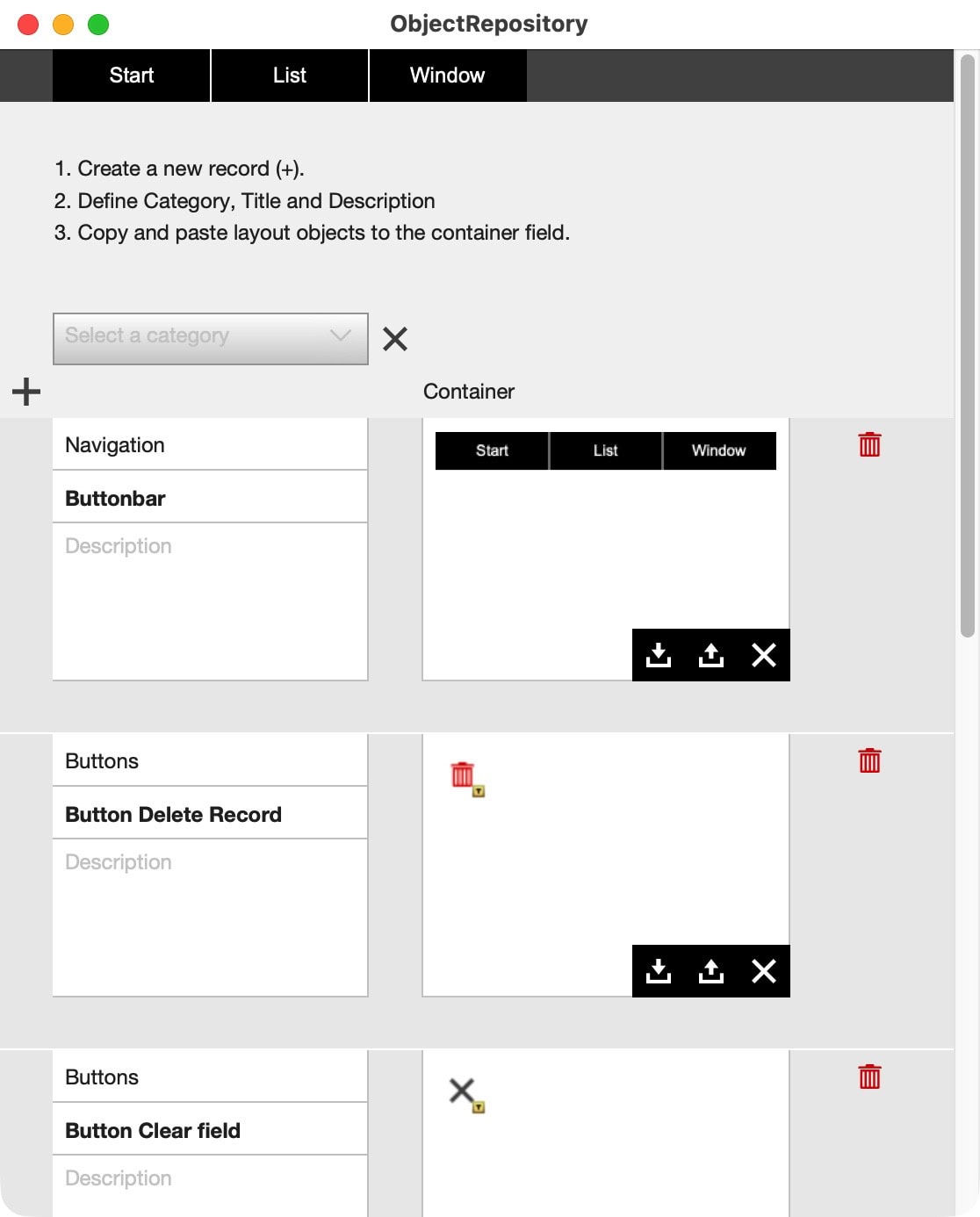
The ObjectRepository addon adds a table to your solution to store layout objects. This is not just about storing the object itself, but also about assigning additional information, like a category, title, and description. This additional information helps to understand the usage and definition. It also helps to select categories or potentially search, find, collect, or process the information.
The table also has a container field, to and from which elements can be pasted and copied. The container is set to “Images” or static content. You now get a preview of the objects stored in that container.
Why use a repository?
There is no “right way” of doing things. Using a repository for design elements is not always needed. However, the more complex your solution becomes, the more design decisions you must make. Keeping track of all the small differences might become a challenge. If you store elements in a dedicated location with some additional information, this is simpler to handle.
And how about the following: You created a complex printing page or dashboard but want to test some new elements. Then the customer wants to see or try another angle of representation. You can rework the original layout or duplicate the previous version for future reference. With a repository, you also can simply copy all objects from any layout and paste them into a container field of the repository. There is no need to group anything. Just copy from your page to the repository and give it some extra information.
Let’s say you want to improve on a complex layout but would like to preserve the current settings. Copy all elements and paste them to a new entry in the ObjectRepository addon. You can name it and write a date or version number and can return to that version of elements any time.
Positioning elements made simple
To simplify positioning elements, there are two helpful thoughts:
- Use the grid in FileMaker. Let objects snap to the grid.
- Add, if necessary, an extra object in the upper left corner of the layout before copying.
All layout elements are located with x and y values from the top left corner of any layout. If you add an extra element to that corner, you can then easily copy all elements and paste them into the repository. When copying from the repository, move all elements to the top left corner to position everything correctly. After positioning, simply remove the added element.
Working on several projects?
If you work on multiple projects, it might be an idea to create a central repository just for the purpose of sharing. You can either add the addon to any project, or create a new file for the purpose of organizing design elements. What you prefer is up to you.
Please enhance the basics with anything you might find helpful for your situation specifically. Consider this addon to be a starting point, not an end point.
Drag and drop
The addon comes with a drag-and-drop element. It is a simple button you can place on any layout. This is certainly not the best solution, but it highlights the workings: you trigger a script, which then opens the ObjectRepository as a separate window. Why? Now you can have two windows open next to each other. You are working on the layout of one window (in layout mode) but can copy to and from the ObjectRepository window. This is practical and offers maximum flexibility.
Email does not work?
We are happy to send out free content, but sometimes require you to provide a valid and personal email address. This excludes free, gibberish, or discardable email addresses. We were forced to take action and tighten rules, as we were flooded with hundreds of fake addresses. Usually, a business address works well, as long as it is personal and not a generic address (like info@ or tech@, which are considered unsafe). We will then send you the download link or subscribe you to our newsletter, whatever you applied for. Enjoy your benefits.